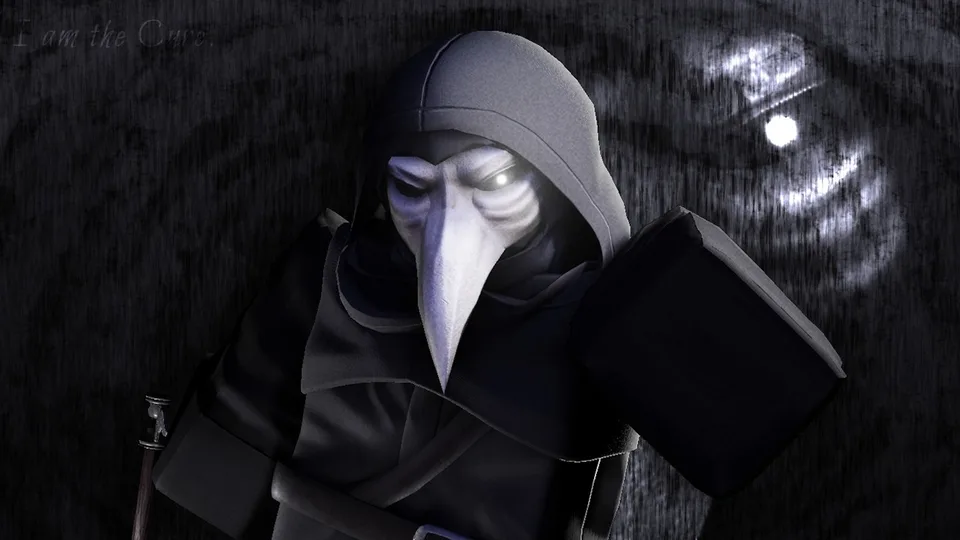
How to Complete the Violence District Medal Event & Claim Rewards
Learn how to complete the Violence District Medal event on Roblox. Follow our simple steps to link your account, record a clip, and unlock exclusive skins.
Published: Violence District Wiki Editorial Team
Table of Contents
About the Violence District Medal Event
The [CURE] Violence District Medal event is a limited-time collaboration that allows players to earn exclusive cosmetic items by interacting with the Medal clipping platform. By completing a few simple tasks—linking your account and sharing a gameplay clip—you can unlock unique rewards to customize your character.
If you are looking to secure the Slasher skin and the Parry Dagger skin, follow the steps below to ensure your participation is registered correctly.
How to Complete the Violence District Medal Event
Completing this event is straightforward, but it requires specific steps to ensure your account is properly recognized by the game. If you miss the account linking step, your gameplay clips will not count toward the quest requirements.
Step 1: Link Your Roblox Account
Before you start recording, you must establish a connection between your Roblox account and the Medal platform. Without this link, the game cannot verify that you are the player who recorded the clip.
Download and open the Medal application on your PC.
Navigate to your profile picture and open Settings.
Select Connected Accounts.
Find Roblox in the list and follow the prompts to complete the authorization process.
Step 2: Record a Gameplay Clip
Once your accounts are linked, you need to capture footage of [CURE] Violence District. Community reports indicate that the event tracking relies on the system identifying the game correctly, so ensure you are actively playing the game when you record.
Launch [CURE] Violence District via the Roblox platform.
Play for a few moments to ensure the game is active.
Press the F8 hotkey (or your designated Medal hotkey) to save a clip of your gameplay.
Step 3: Publish Your Clip
Recording the clip is only the first half of the process; you must also publish it to the Medal platform to finalize the quest requirements.
Open the Medal application and go to the Clips tab on the left sidebar.
Locate the clip you just recorded in [CURE] Violence District.
Select the clip and click the Publish button.
Warning
Do not upload a random Roblox clip from a different game. The event specifically tracks clips recorded within [CURE] Violence District. Ensure your clip is recent and clearly shows gameplay from this specific experience.
Claiming Your Exclusive Rewards
After publishing your clip, the system needs a moment to process the data. Head back into [CURE] Violence District to check your status. You should see an event screen indicating that the quest requirements have been met.
Click the Claim button on the event screen to add your items to your inventory.
The rewards for this event include:
Exclusive Slasher Skin: A dark, armored-style skin featuring glowing red effects.
Exclusive Parry Dagger Skin: A unique weapon cosmetic to match your new look.
Troubleshooting Common Issues
If you have completed the steps above but do not see the "Claim" button, try these troubleshooting tips based on player experience:
Restart the Game: If you were already in the game when you published the clip, the event status might not update immediately. Leave the game and rejoin to refresh the event screen.
Verify Upload Status: Ensure your clip has fully finished uploading to the Medal platform. If the upload is still in progress or failed
, the game will not register the quest as complete.
Check Account Connection: Double-check your settings in the Medal app to ensure your Roblox account is still linked. If the connection was interrupted, re-link the account and try recording a new, short clip to trigger the update.
Since these are collaboration rewards, they may become rare in the future. It is recommended to claim them while the event is active, even if you do not plan to equip them immediately.